

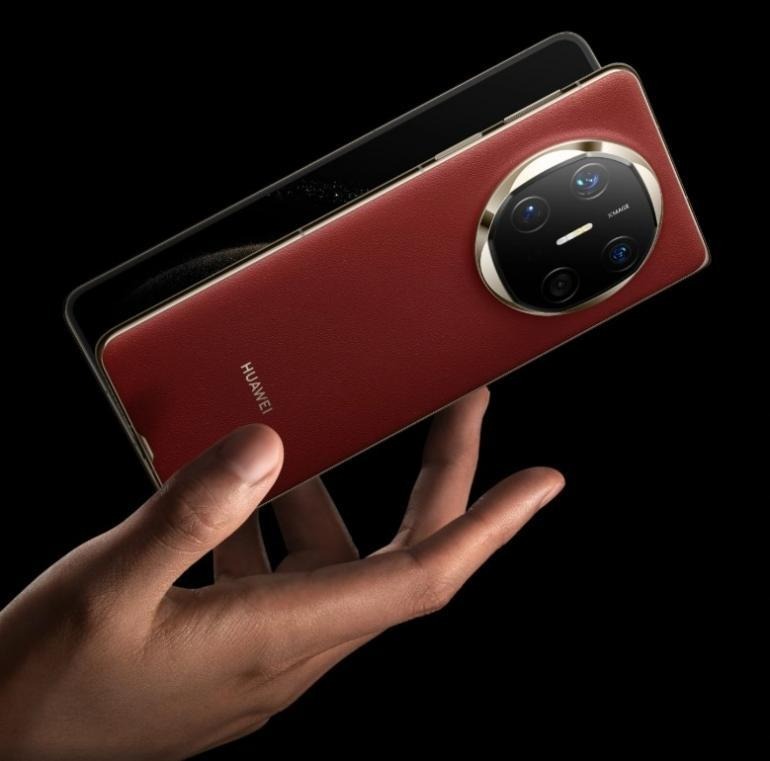
Your mobile phone isn’t just for calls and social media—it can be your most powerful productivity partner. With the right tools and habits, your phone can help you plan, prioritize, and execute work tasks efficiently wherever you are. From organizing daily tasks to automating routine workflows, smartphones offer features that rival a desktop. Workers, freelancers, and entrepreneurs alike can tap into their phone’s potential to streamline communication, manage time better, and access files instantly. The key lies in knowing which apps to use and how to use them effectively without falling into distraction traps.
What Are the Best Mobile Productivity Tools?
Task Management Apps That Keep You Organized
Task management apps like Todoist help break down your day into actionable items. These tools let you create lists, set deadlines, and assign priorities, so you never miss a beat. You can sync tasks across devices and collaborate with teammates in real-time. By categorizing work into manageable pieces, these apps reduce overwhelm and improve task clarity. Features like reminders and recurring tasks further boost daily performance. Whether you’re handling multiple projects or tracking personal goals, using a structured task app keeps your workflow visible, accessible, and under control—directly from your mobile phone.
Calendar & Scheduling Apps for Smarter Planning
Calendar tools such as HUAWEI Calendar help users schedule meetings, block time, and avoid double bookings. These apps integrate with email, video conferencing, and task apps to streamline planning. You can receive real-time alerts, set goals, and even auto-schedule free slots. Some tools suggest the best times for meetings based on availability. They make it easier to juggle work and personal commitments in one view. With color-coded events and smart invites, staying on top of your time becomes effortless. Smart planning begins with a clear calendar, and your mobile makes it always within reach.
Note-Taking Apps to Capture Ideas on the Go
Great ideas strike anytime, so note-taking apps like Notion ensure you never lose a thought. These apps let you jot down text, record voice notes, and save web clippings instantly. You can tag, categorize, and search notes easily. Some offer offline access and handwriting recognition, making them even more versatile. Organizing notes into folders helps maintain clarity between work and personal reflections. When synced across devices, notes are accessible whether you’re at a desk or in transit. With mobile note apps, creativity and information capture stay fluid and frictionless.
How Can You Turn Your Phone into a Work Assistant?
Use Voice Assistants to Save Time on Daily Tasks
Voice assistants help complete small tasks quickly—no typing needed. You can set reminders, send texts, schedule calls, or search for files with a simple voice command. These assistants integrate with productivity apps, enabling hands-free task management. Say, “Remind me to email Sarah at 2 PM,” and it’s done. They also help dictate notes or navigate to meetings, saving time and boosting multitasking. Voice assistants serve as digital secretaries in your pocket, cutting down time spent on repetitive interactions and keeping you on schedule through intuitive voice control.
Automate Repetitive Workflows with Mobile Tools
Apps like Shortcuts allow you to automate tasks that eat up time. Set rules like “Save email attachments to Dropbox” or “Send a Slack message when a new task is added in Trello.” These tools connect your favorite apps, letting your phone work for you in the background. You don’t need coding skills—just select a trigger and desired outcome. Automating routine tasks reduces human error, frees mental space, and ensures consistency. Whether you’re streamlining email handling or updating spreadsheets, mobile automation helps shift your focus from maintenance to impact.
Leverage Cloud Storage for Instant File Access
Cloud storage apps like Google Drive and OneDrive provide quick access to important documents anytime. Upload, organize, and share files securely with just a few taps. These platforms sync across all devices, making it easy to collaborate on the go. Most offer offline access for key files, real-time editing, and permission control for team sharing. No more scrambling for attachments or waiting until you’re at your desk. Whether reviewing contracts, updating presentations, or sharing PDFs, cloud storage ensures your office is always in your pocket.
Proven Habits for Boosting Productivity on Your Phone
Set App Usage Limits to Minimize Distractions
Smartphones can also be sources of distraction. Use built-in tools to set daily usage limits on social media, games, and non-essential apps. These features help track screen time and block access once limits are reached. By creating app limits, you regain control over your attention and reduce impulse checking. This habit builds awareness of digital consumption and fosters intentional usage. Small changes—like restricting social media to 30 minutes—can significantly impact focus and output. With clear boundaries, your phone supports your goals instead of stealing your time.
Customize Notifications for Focused Work
Constant pings derail concentration. Customizing your notification settings keeps alerts relevant and work-focused. Silence non-urgent apps or set “Do Not Disturb” modes during deep work sessions. Use priority modes to allow only important calls or calendar reminders. Some platforms offer Focus Modes that automatically adjust notifications based on your context—like “Work” or “Sleep.” By managing interruptions, you create a distraction-free environment that supports deep thinking. Notification control isn’t about missing out—it’s about tuning in to what truly matters. Make your phone a productivity partner, not a source of noise.
Use Time-Tracking Apps to Improve Focus
Time-tracking apps help analyze how your time is spent. By recording work sessions and breaks, you gain insights into patterns, productivity gaps, and areas for improvement. These apps make it easy to label tasks, generate reports, and even visualize where your hours go. Some offer reminders to start tracking or suggest when to take a break. Understanding your workflow helps in setting better routines and goals. When installed on mobile, these apps ensure you’re tracking even while on the move, turning awareness into action and helping you reclaim lost hours.
Conclusion Your mobile phone can be more than just a distraction—it can become your secret weapon for productivity. By using the right tools and adopting focused habits, you unlock new ways to manage tasks, automate workflows, and stay organized wherever you are. From note-taking to time-tracking, every feature can support your professional goals when used intentionally. If you’re troubleshooting issues like huawei Netflix not working, addressing such glitches early ensures your device runs smoothly. Start by installing essential apps, setting limits on distractions, and customizing your phone to suit your work style. With consistency, your phone evolves from a passive device into a proactive assistant that enhances how you work, think, and create.
